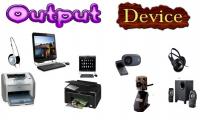
Output devices are electronic components that allow computers and other devices to display, present or communicate data, information or results to the user. They are essential components in the communication between humans and computers.
What are the Importance of Output Devices of Computer?
Output devices play a critical role in computing and communication systems, as they allow users to receive and interact with the results of processing and data manipulation. Here are some of the key importance of output devices:
Providing user feedback: Output devices such as monitors, speakers, and printers enable users to receive feedback about the results of their input. For example, a monitor displays the results of a user's typing or a search query, while a printer provides a hard copy of a document or image.
Enabling communication: Output devices like speakers and microphones facilitate communication between users by enabling them to hear and speak to each other. Similarly, video conferencing systems use cameras and displays to enable visual communication between users.
Enhancing productivity: High-quality output devices can improve productivity by enabling users to interact with data and information in meaningful ways. For example, large displays and high-resolution monitors can increase the effectiveness of data visualization and analysis.
Providing accessibility: Output devices can help users with disabilities to interact with technology more effectively. For example, screen readers can convert text to speech, while Braille displays can provide tactile feedback to users with visual impairments.
Overall, output devices play a crucial role in making computing and communication systems usable and effective for users.
Examples of output Devices and their Functions
Here, we will show you 25 examples of output devices and their functions, as follow them:
Monitors: These are the most common output devices and are used to display visual information. Monitors come in various sizes and resolutions, and can display images and text with high clarity and detail.
Printers: Printers are used to produce hard copies of digital documents. There are several types of printers available, including inkjet, laser, and thermal printers.
Speakers: Speakers are used to produce sound output from computers and other devices. They are essential for playing music, watching videos, and other multimedia applications.
Headphones: Headphones are used to listen to audio output from computers and other devices in private. They are commonly used for listening to music, watching videos, and making phone calls.
Projectors: Projectors are used to display images and video on a larger screen or surface. They are commonly used in classrooms, boardrooms, and home theaters.
Television: Displays video content and other visual information.
Plotter: Produces large-scale graphics, such as blueprints or engineering drawings.
Digital camera: Displays digital images and videos.
Touchscreen: Displays visual information and allows users to interact with the device by touch.
LED Lights: LED lights can be used as an output device to provide visual feedback or display information. For example, LEDs can be used to indicate the status of a device or provide feedback on user interactions.
Braille display: Converts digital information into Braille characters for people with visual impairments.
Fax machine: Transmits and receives written or printed documents over a phone line.
Barcode reader: Reads and displays the information stored in a barcode.
Cash register: Displays pricing information and transaction totals.
Public address system: Amplifies sound output for announcements or music in public spaces.
Scoreboard: Displays the score or other game information in sports stadiums and arenas.
Smartwatch: Displays information, notifications, and other data on a small screen worn on the wrist.
In-flight entertainment system: Displays movies, TV shows, and other content on an airplane.
Digital signage: Displays advertisements or other information in public spaces.
GPS device: Displays maps, directions, and other location-based information.
Electronic book reader: Displays digital books and other written content.
Digital photo frame: Displays digital photos and other visual content.
Barcode printer: Prints barcodes onto products or packaging.
Label printer: Prints labels for packages or products.
Electronic whiteboard: Displays and allows users to interact with digital information, such as in a classroom or meeting room.
Difference Between Input and Output Devices
Input and output devices are two types of computer peripherals that allow users to interact with their computer systems.
Input devices are used to input data and commands into the computer. Examples of input devices include keyboards, mice, scanners, and microphones. These devices allow users to enter text, manipulate images, or issue commands to the computer. Input devices can be either wired or wireless, and they usually connect to the computer through a USB or other port.
Output devices are used to receive information or output data from the computer. Examples of output devices include monitors, printers, speakers, and projectors. These devices allow users to view or listen to the results of their inputs, such as displaying images or playing sounds. Output devices can also be either wired or wireless, and they usually connect to the computer through a port or other connection type.
Overall, input devices allow users to input data and commands into the computer, while output devices allow users to receive information or output data from the computer.